REVI
•
JUN 2023 - DEC 2025
•
SHIPPED
Closing the Gap: How a 7shifts Integration Unlocked Revi's Mid-Market Growth
Revi is a SaaS platform built for restaurant owners, giving them tools to run their business, understand their customers, and grow through Revi's network. But one critical gap was holding the product back: employee and labor management.
What existed before was what the team internally called a "glorified Excel sheet," a basic time tracker that logged shift start and end times, nothing more. Breaks weren't recorded. If an employee forgot to clock out or a time was entered incorrectly, the owner had to contact Revi's Customer Success team to manually fix it in the code. There was no visibility into labor costs, no scheduling, and no way to manage staff at scale.
Only 10% of Revi's businesses were using this solution. Most were waiting for something better, and Revi's Sales team was actively losing mid-market deals because of it.

The Challenge
x

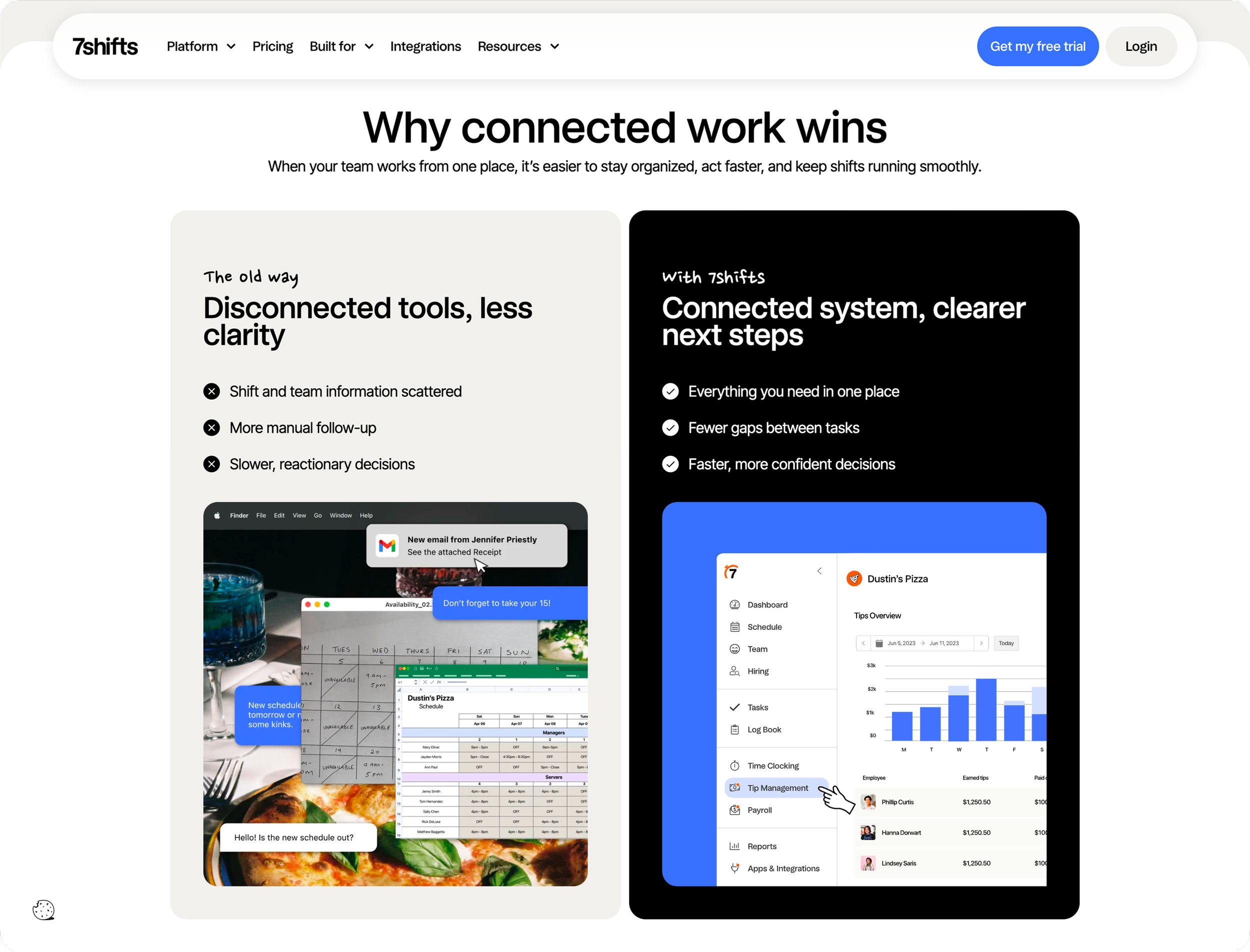
Rather than build an employee management system from scratch, Revi partnered with 7shifts, a labor management platform built specifically for the restaurant industry. 7shifts offered a robust feature set, flexible APIs, and the potential for white-labeling down the line. It was already being used by several of Revi's existing customers, which made adoption more natural.
My job was to bring 7shifts' labor data into Revi's dashboard in a way that felt native, not bolted on, and to build the parts that 7shifts couldn't provide: onboarding, permissions, and a unified multi-platform experience.
BUSINESS GOALS
Unblock mid-market sales by closing the labor management gap
Decrease Customer Success overhead by empowering business owners to self-serve employee management
USER GOALS
Spend less time on manual labor tracking and more time running the business
Get real-time visibility into labor costs to make smarter staffing decisions
RESEARCH + DISCOVERY
I started with a competitive analysis across Toast, Homebase, and Owner to understand how established players surfaced labor data and structured employee hierarchies. I also spent time in 7shifts' sandbox to deeply understand how their data was organized before designing how it would appear in Revi.
For user interviews, I spoke with small single-location businesses, mid-market operators, and franchise managers running multiple locations. The questions I focused on:
What's the most important information you need to see immediately to know your business is running efficiently?
What are the biggest security risks you need to protect against?
How do you manage breaks and shift rules across different cities and states?



RESEARCH FINDINGS
Owners want to see where they can save on labor costs at a glance.
They want to correlate staffing levels with sales data to avoid over- or understaffing.
Security controls are non-negotiable for mid-market adoption
How might we replace a manual, error-prone labor tracking process with a solution that gives restaurant owners confidence in their data and their team?
1. SEAMLESS MULTI-PLATFORM INTEGRATION WITH 7SHIFTS
Make Revi Team feel seamless between all Revi platforms by reducing the feeling that users are jumping between platforms
Project Goals + North Star
2. UNBLOCK THE CURRENT SALES FUNNELS
Remove barriers for mid-market businesses to choose Revi by creating a reliable and secure product
3. INCREASE PRODUCT ADOPTION
Increase the number of businesses actively utilizing any version of Revi Team (free or paid)
PROJECT ROADMAP
WHAT WE BUILT
…and what we didn't
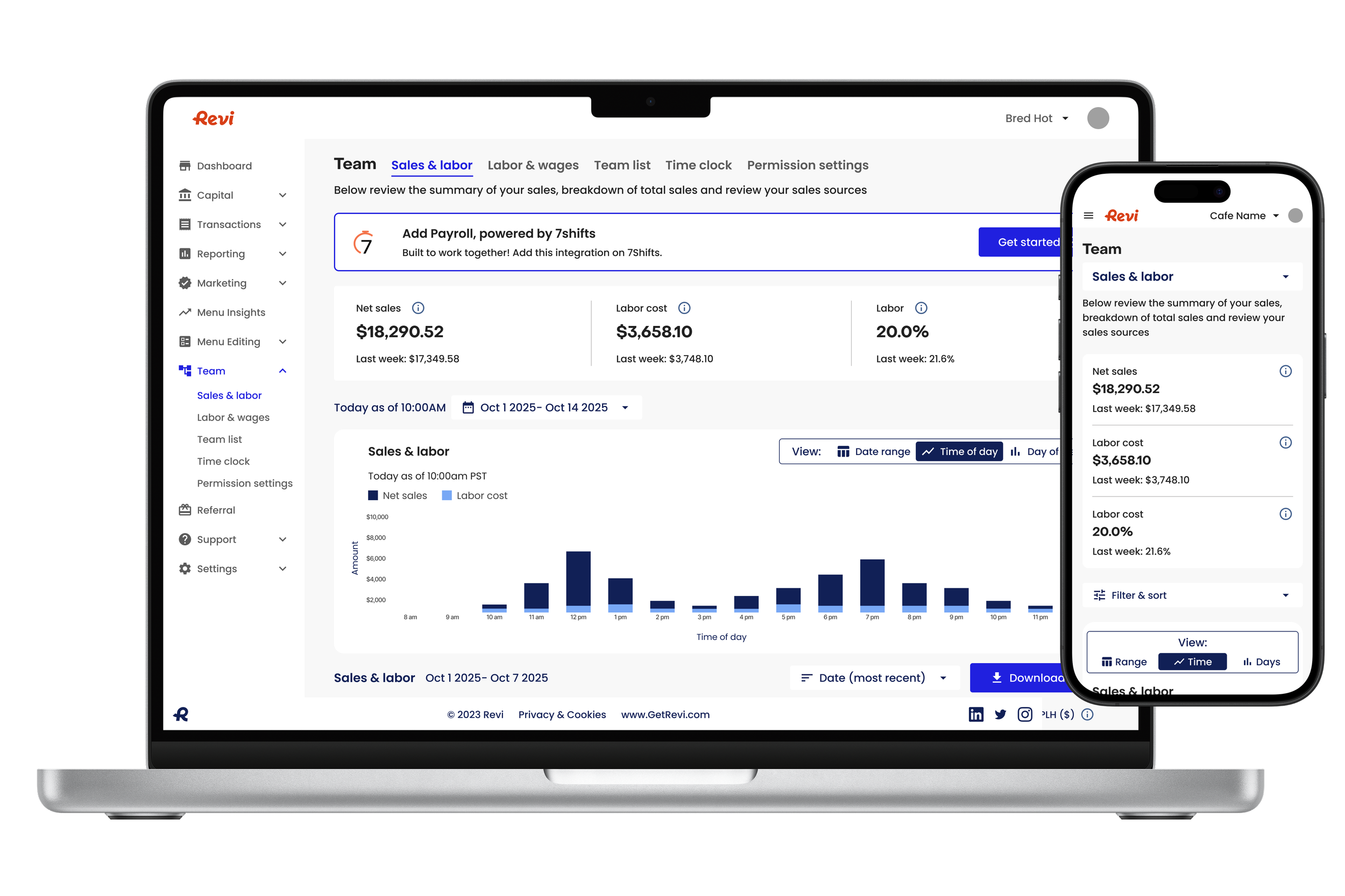
Not everything in 7shifts could be brought into the Revi dashboard. Two features, scheduling and payroll, were kept exclusively in the 7shifts dashboard. My job was to make those handoffs feel seamless through clear redirects and contextual messaging. I also mirrored 7shifts' data layout to reduce friction when users moved between both dashboards.
The team mapped features across planned release phases. Unexpected schedule flexibility allowed Phase 2 features to be incorporated into the initial release, resulting in a more complete and adoptable product without impacting the timeline.
The following features were scoped for later phases: Full scheduling view and edit functionality, whitelabeling functionality, and multi-location dashboard redesign
SHIPPED IN THE MVP
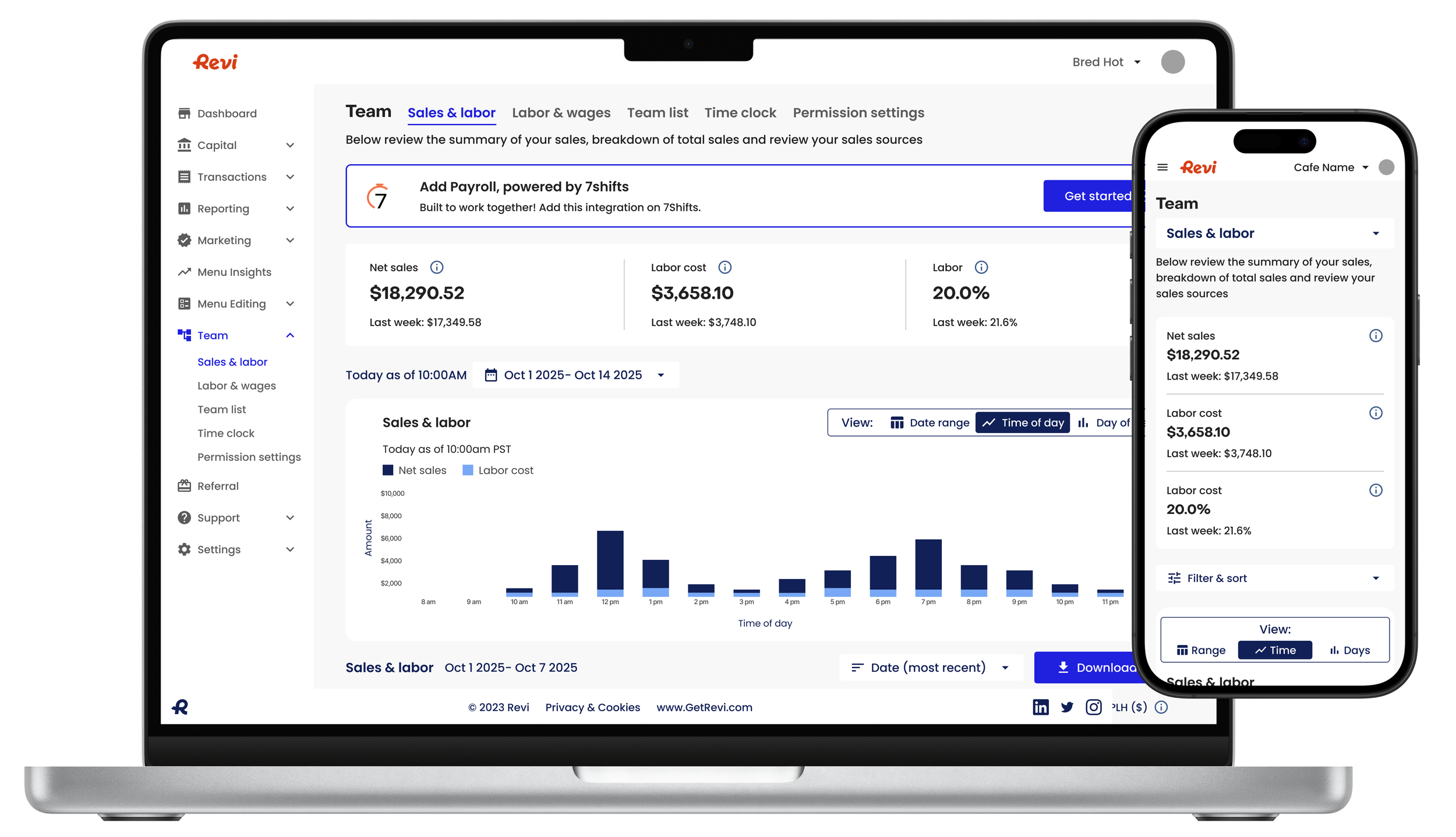
Integrate all 7shifts reporting into the dashboard and a simplified version for the POS
Employee list with unique PIN creation
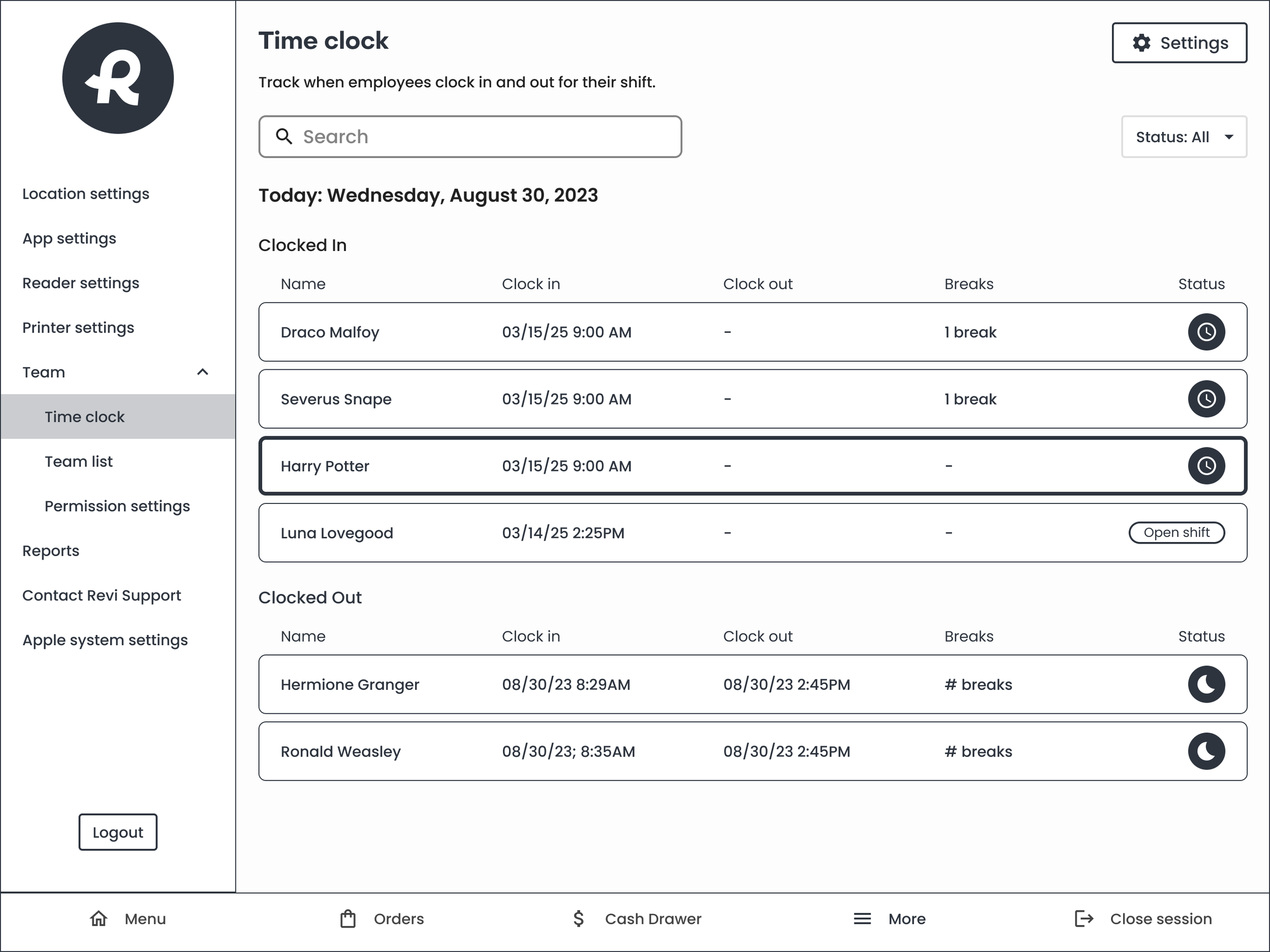
Time clock editing: creating, editing, closing, and removing shifts
A redesigned POS employee view aligned with Revi's dashboard navigation and branding
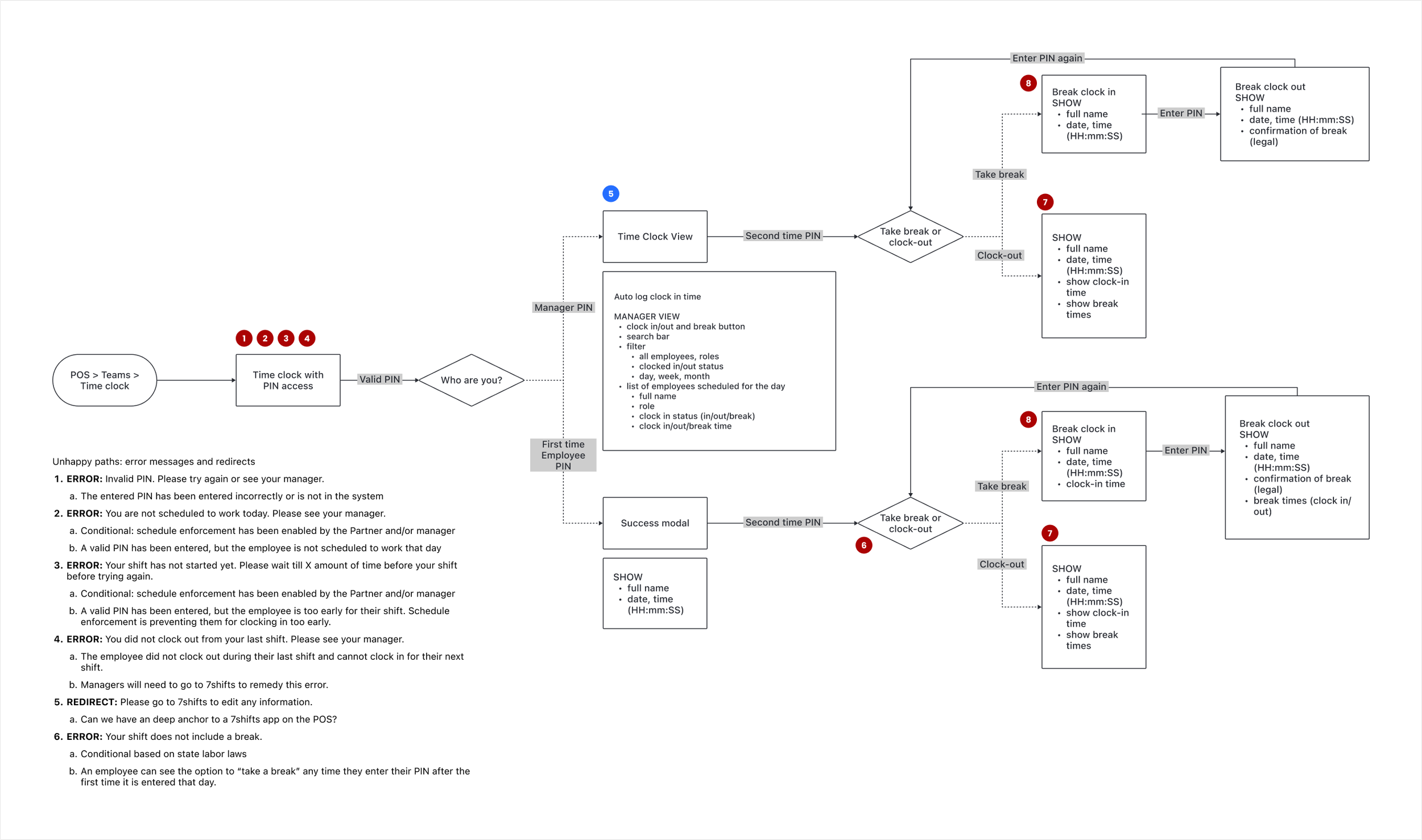
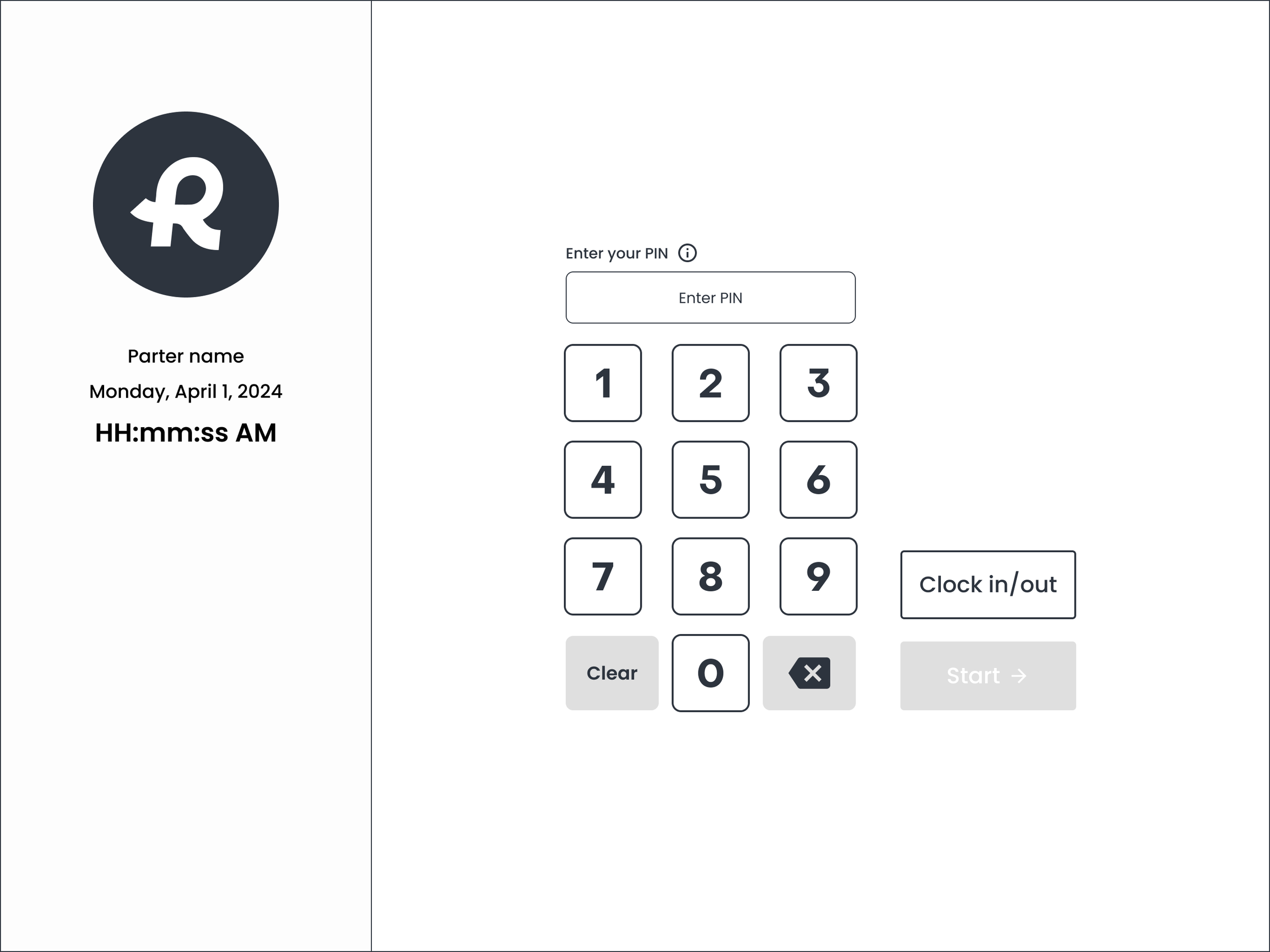
Employee clock in/out on the POS tablet via quick PIN input
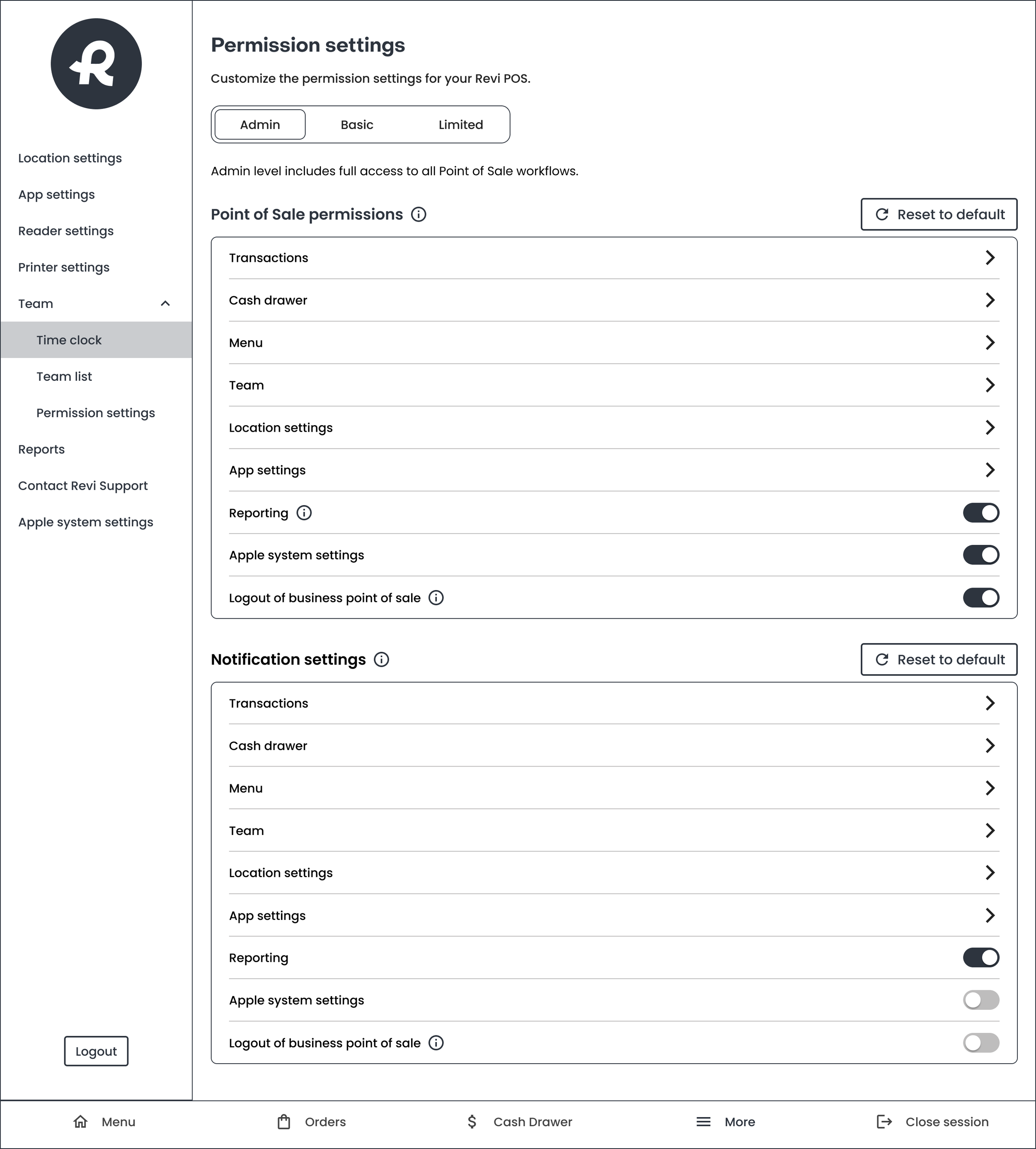
Permission settings across all Revi platforms, covered in depth in the Revi Permissions case study
DESIGN APPROACH
Where 7shifts had already solved the UX, and where users would be switching between both dashboards, I mirrored their layout intentionally. Reinventing patterns that users already knew would only create friction. My focus was on re-skinning to Revi's brand and ensuring continuity.
Where Revi needed its own user experience, specifically the onboarding flow, employee list, time clock management, permissions, and POS, I had full design ownership. These were built from scratch and had to work across three distinct platforms: web dashboard (desktop and mobile) and iPad (12").
The iPad experience required particular care. I leaned on native Apple interactions and UI conventions so the POS felt familiar to staff who'd never used a business dashboard before. For clock in/out, I designed a PIN-based flow optimized to take under one minute, keeping the POS free to take orders.
HIGH FIDELITY SCREENS
FINAL DESIGNS
REVI TEAM DASHBOARD
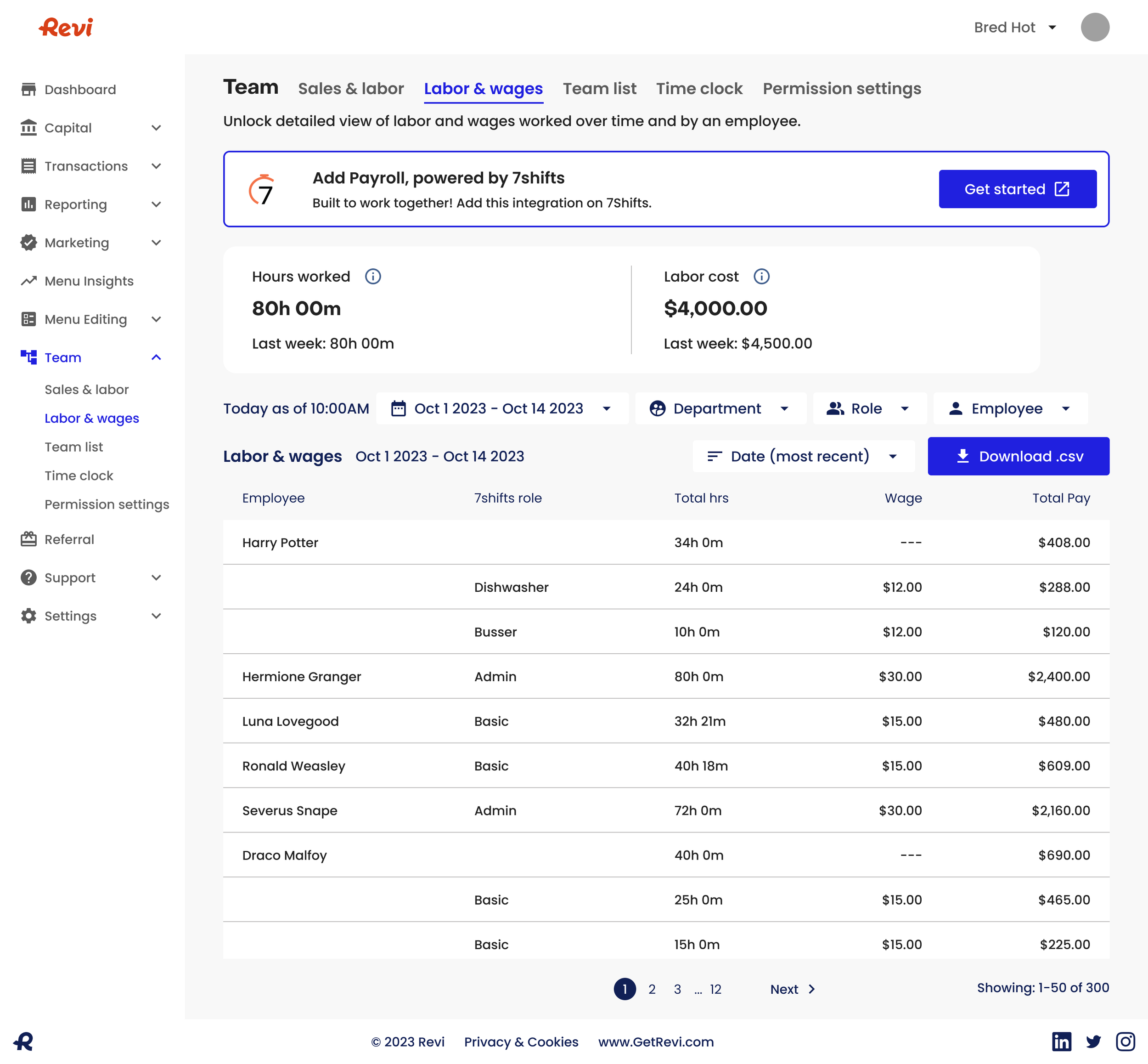
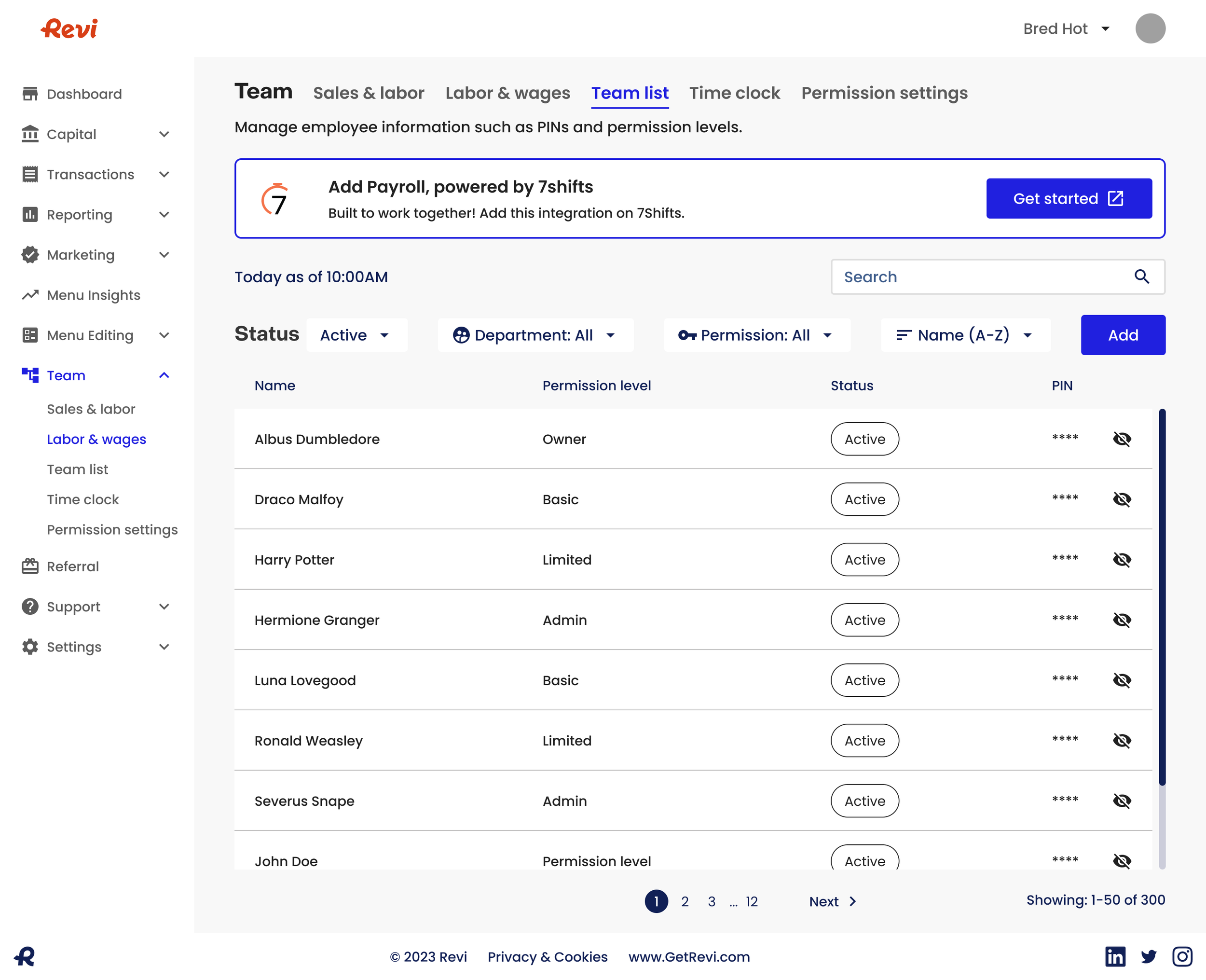
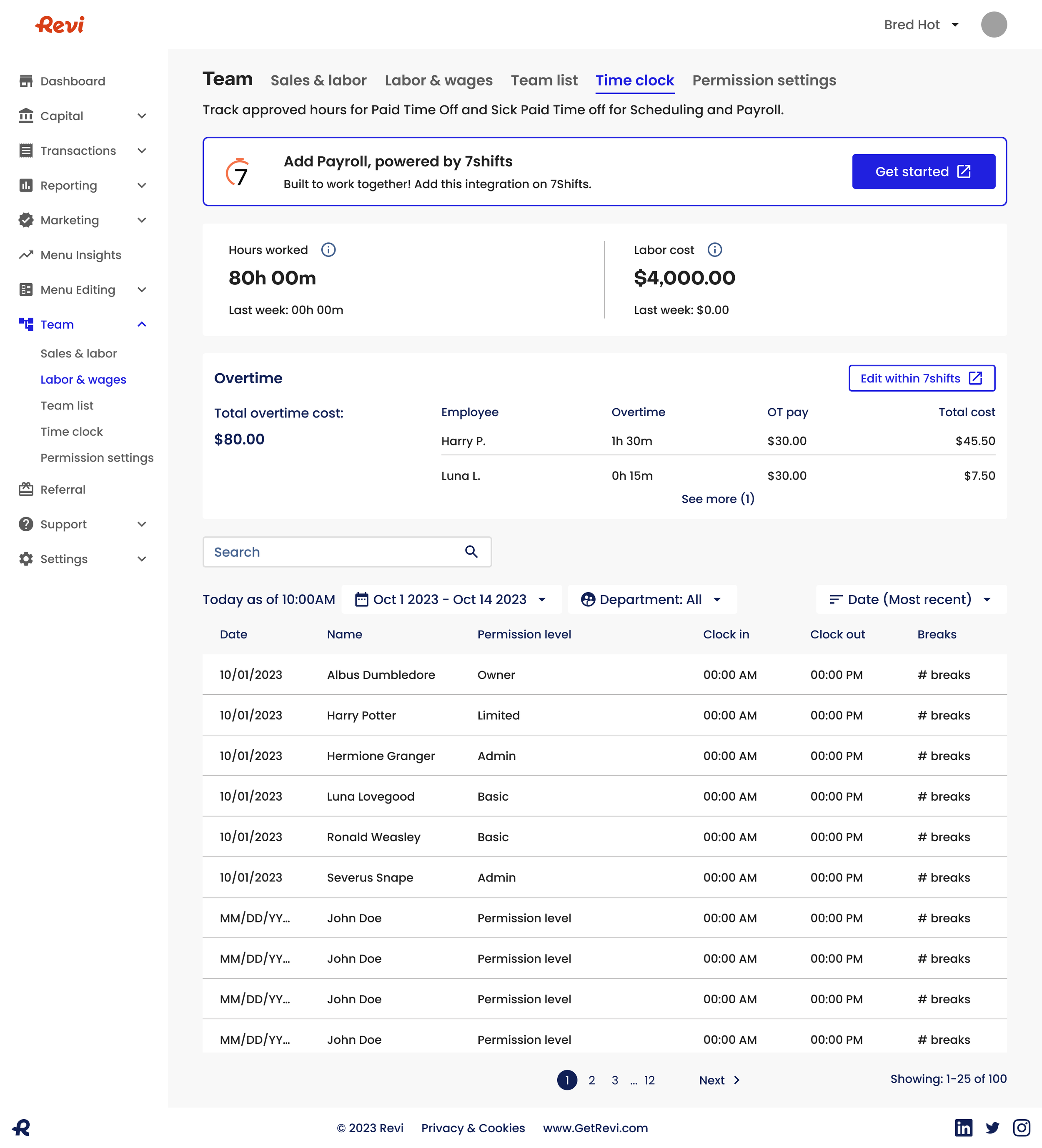
Revi Team + 7shifts offers two types of reports, team list information management, time clock management, and permission settings. Each feature is designed to provide transparency and security while managing their team.
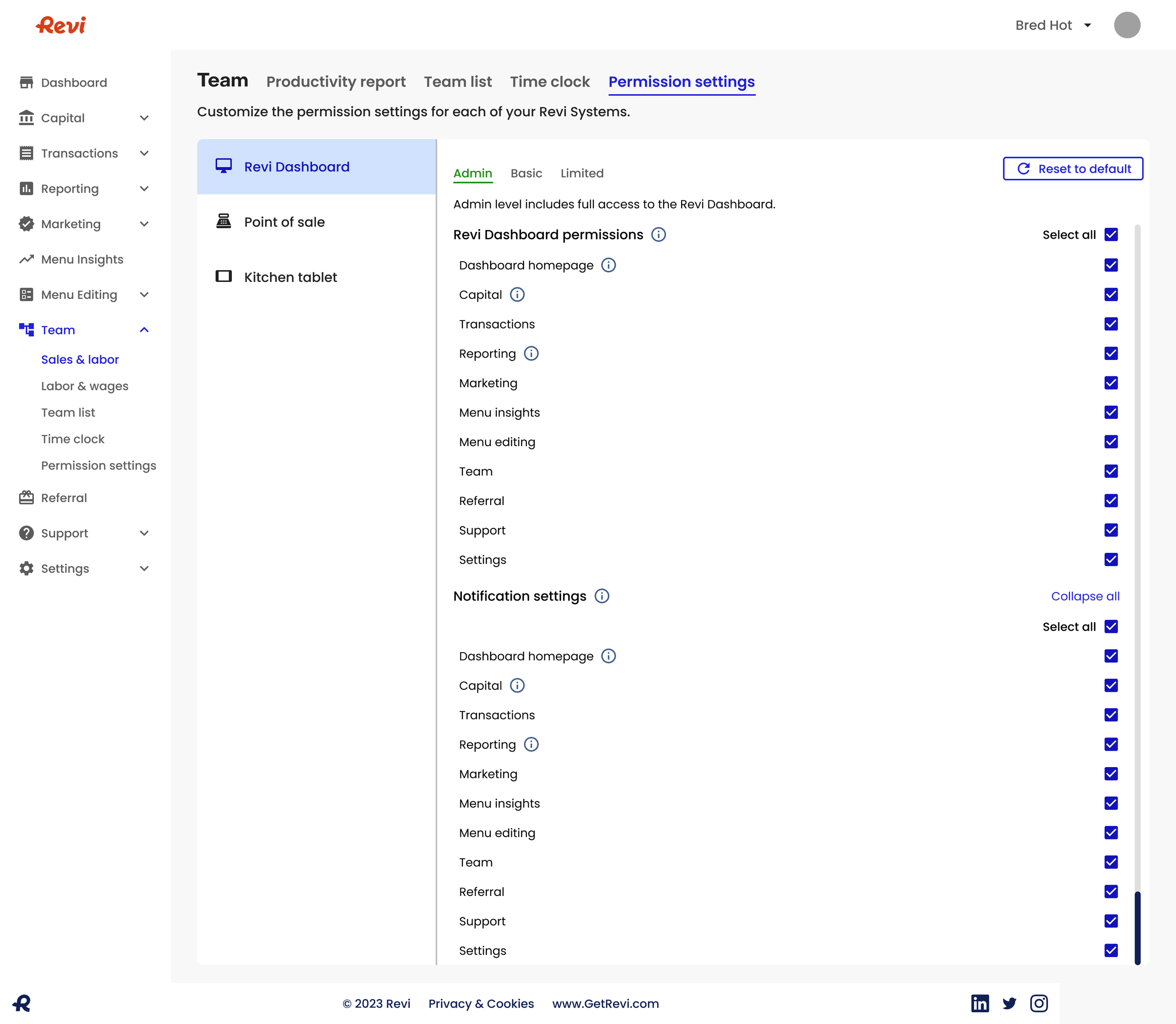
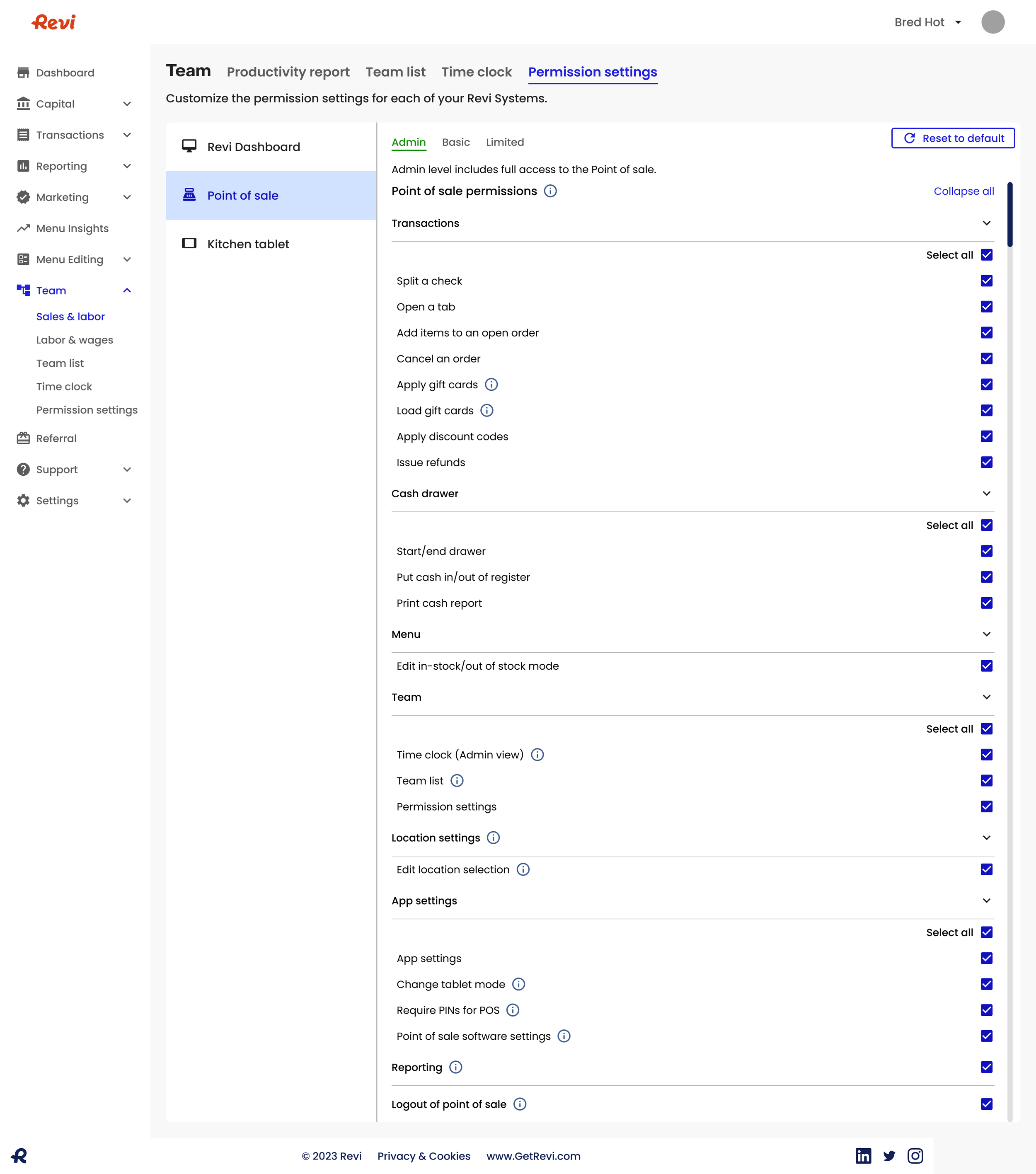
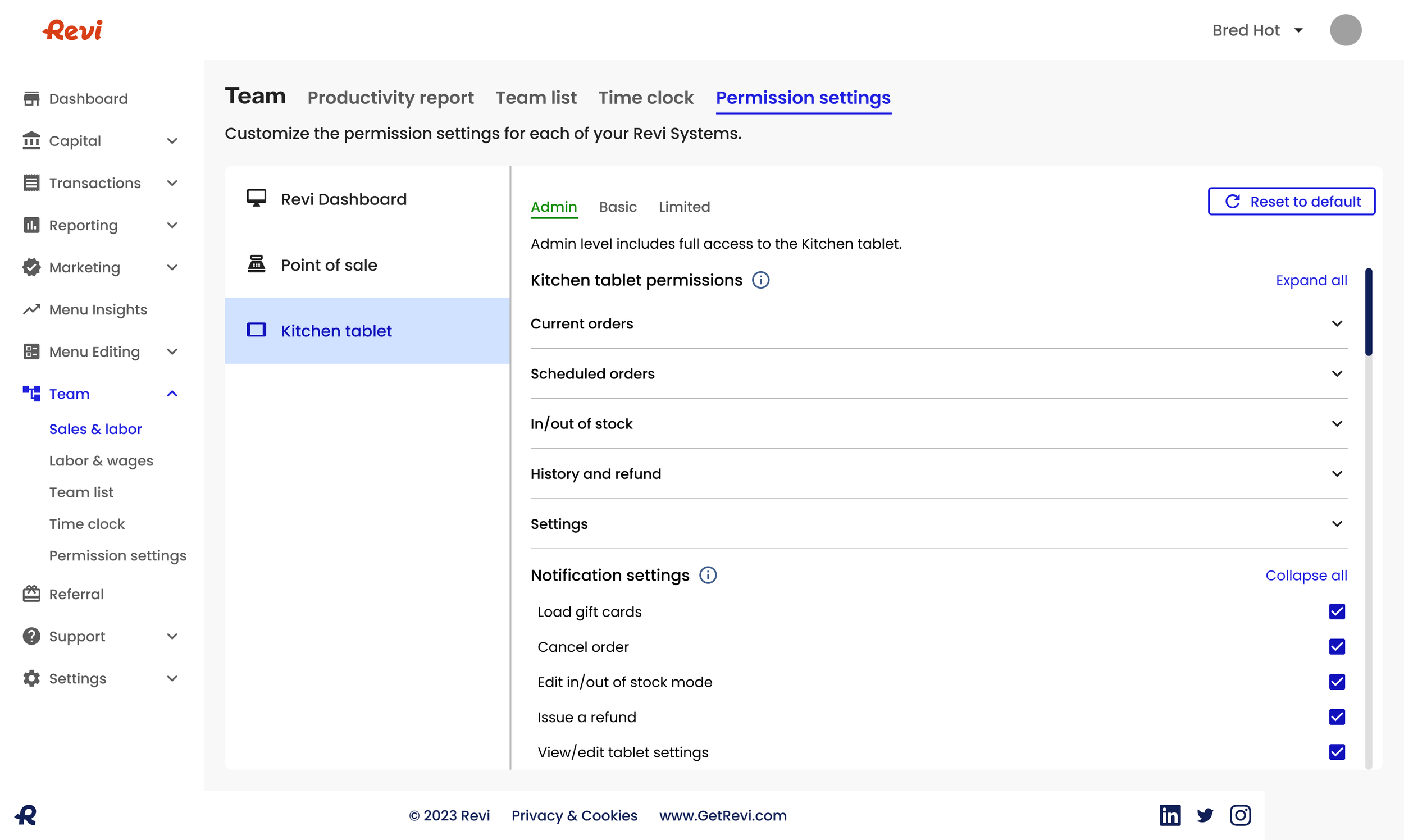
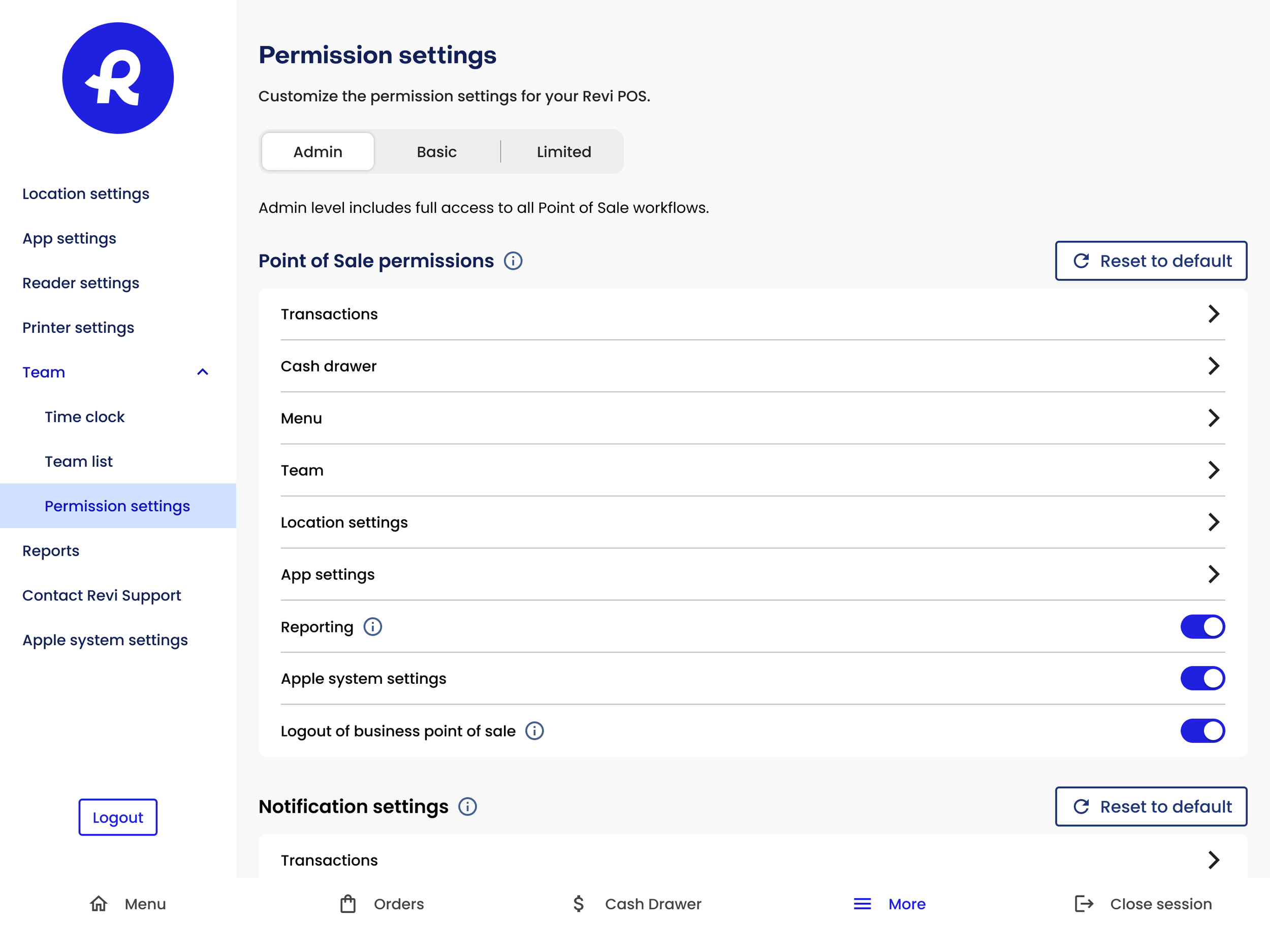
PERMISSION SETTINGS
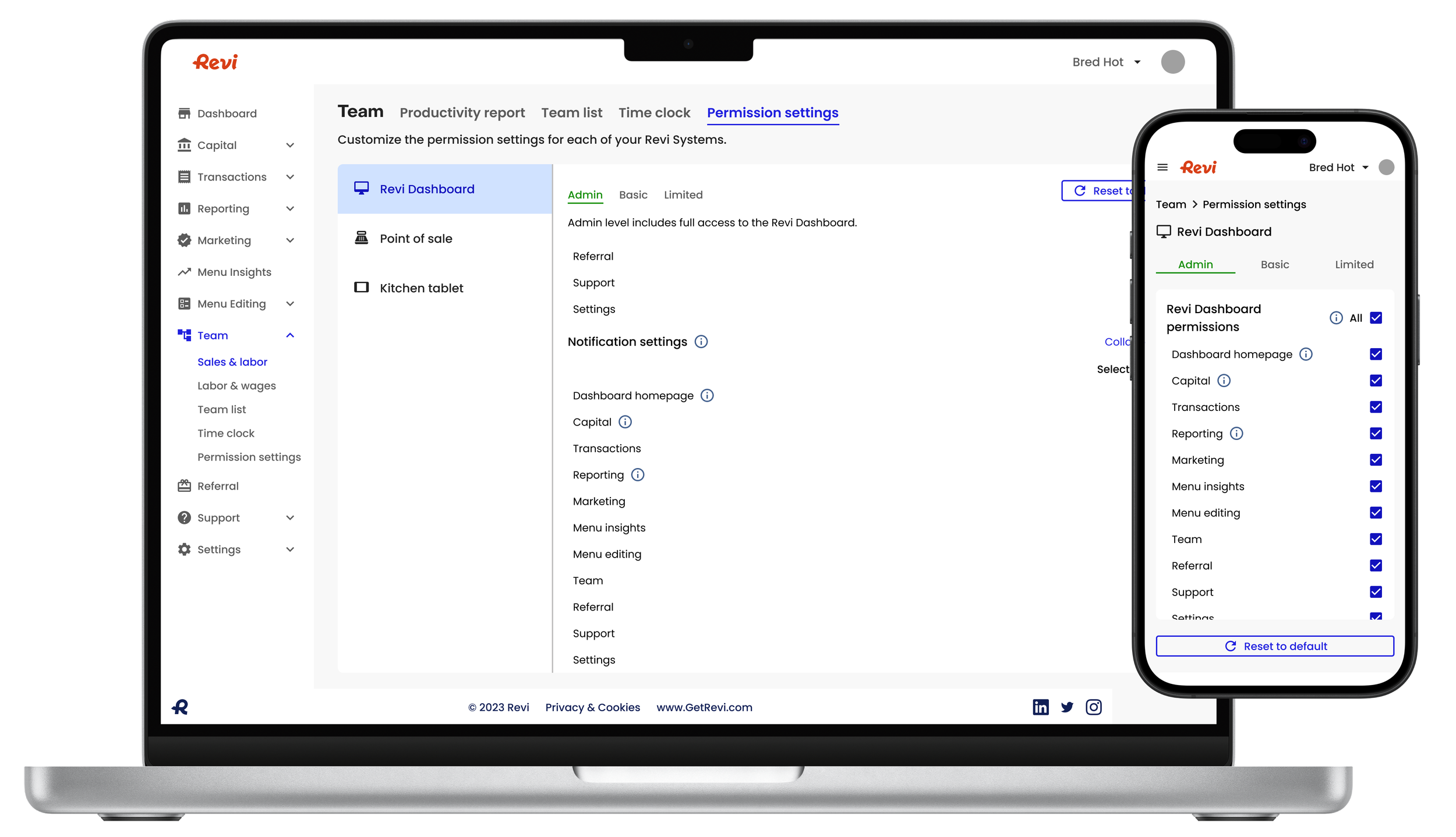
The Revi dashboard permission settings are for business owners to assign to employees. There are three different base settings: Admin, Basic, and Limited. Each has a different level of access.
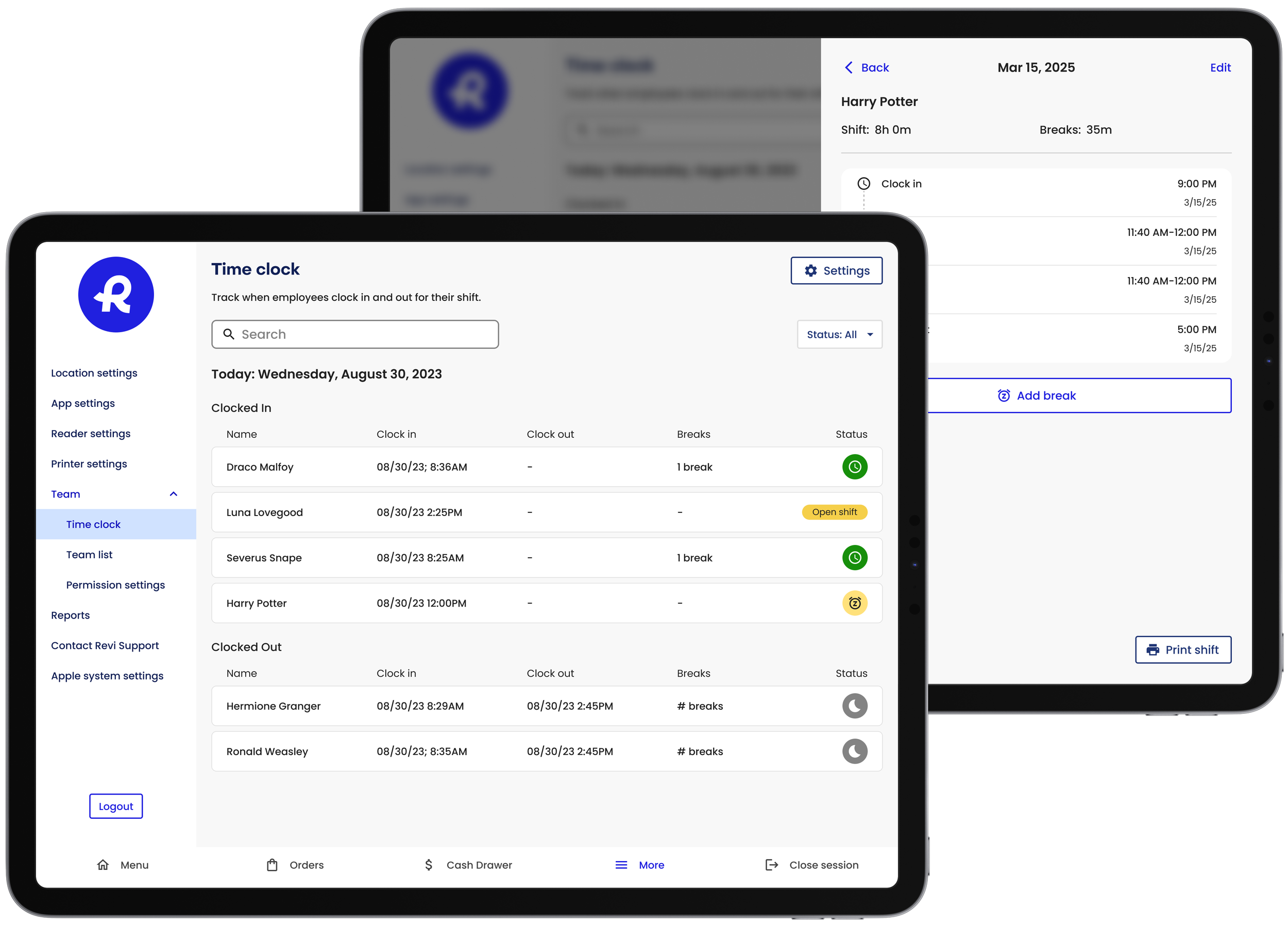
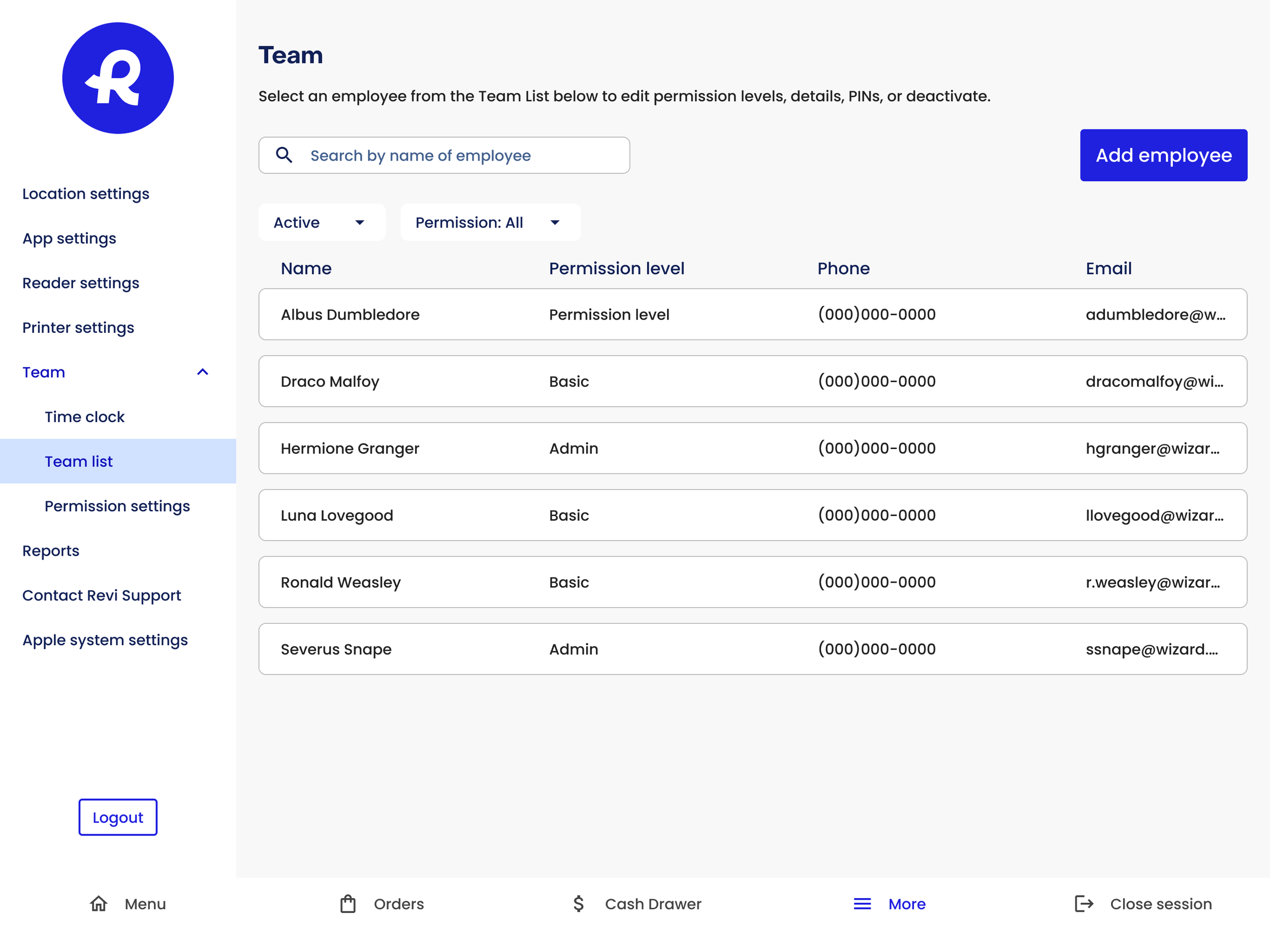
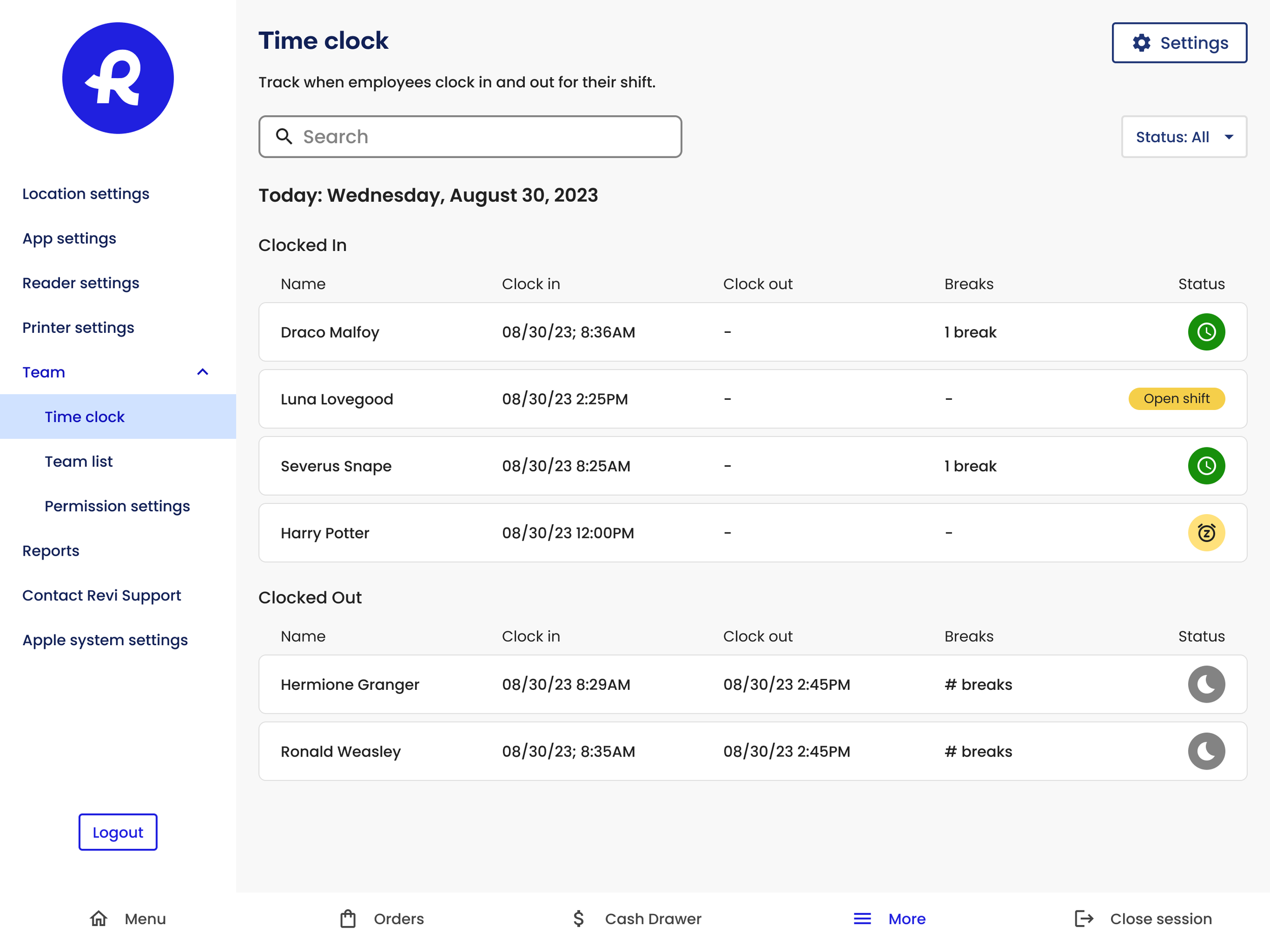
POS TEAM SETTINGS
The point of sale (POS) Team features provide business owners and managers with the ability to manage their team from POS tablets within the business. These features include time clock management, team list management, and permission settings specifically for the POS.
UNEXPECTED DELAYS
A PROJECT THAT TESTED RESILIENCE
This project ran nearly two years from kickoff to ship, longer than anyone planned.
During beta testing with our first location, Bred Hot Chicken, significant bugs and crashes surfaced that traced back to a fundamental architectural issue: instead of syncing with 7shifts in real time, our backend was making copies of all 7shifts data and periodically syncing it. This created server duplications that took multiple attempted fixes before engineers identified the root cause and rebuilt the system from scratch.
Each rebuild required me to revisit and revise the designs: removing manual sync buttons that were no longer needed, restoring time clock editing that had been stripped out as a workaround, and updating permission settings. It was a lesson in staying close to the engineering process and advocating for smaller, phased builds rather than trying to ship everything at once.
"I would have pushed back on the size of the project and broken it down into smaller phases earlier. It would have helped every team stay focused instead of trying to do everything at once."
CONCLUSION
OUTCOME
Revi × 7shifts officially shipped in Q3 2025 after beta testing with multiple restaurant groups.
Named accounts including Talkin' Tacos and Bred Hot Chicken participated in beta and provided direct product feedback
Sales and Customer Success scheduled presentations for existing customers to introduce the new solution
Mid-market businesses that had previously passed on Revi due to the lack of labor management reevaluated after launch
FINAL REFLECTIONS
WHAT DID I LEARN?
Get closer to the backend earlier. The architectural issue that extended our timeline could have been caught sooner with more engineering alignment upfront. On any future integration work, I'll push for technical deep dives before design begins.
Smaller phases, sharper focus. The scope of this project made it hard for every team to stay aligned. Breaking work into smaller, reviewable chunks would have surfaced problems earlier and kept us moving faster.
Every screen is part of a system. Decisions made for the web dashboard had direct implications for the POS and KDS. Holding that systems view throughout, rather than designing each platform in isolation, was essential to shipping something cohesive.
A working foundation beats a perfect concept. Shipping a permission system businesses could trust was more valuable than delaying for a complex one we couldn't test. Knowing when to simplify without losing core value is something this project sharpened in me.